

The Modern, Jira Test Management Solution
Are your QA teams struggling with disconnected testing tools? Meet AssureX — a test case management tool built on the Atlassian Forge platform with a secure remote backend. Designed for modern Agile teams, AssureX brings the entire testing lifecycle directly into your Jira workspace.
Built on Atlassian Forge
Advanced Versioning
CI/CD Ready
Enterprise Security
100%
Native Jira Experience
Built directly on Atlassian Forge
E2E
Encryption
RSA + AES-256-GCM application-layer
∞
Isolated Tenant DBs
One database per Jira Cloud site
0
External Tools Needed
Everything lives inside Jira
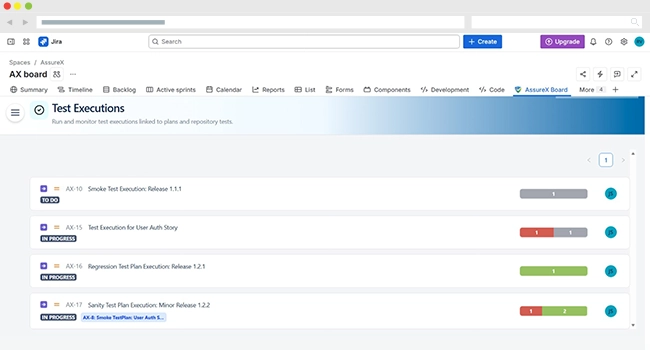
Watch how AssureX brings the entire testing lifecycle into Jira — test cases, executions, CI/CD results and coverage tracking. Under 3 minutes.
Stop switching between disconnected tools. AssureX brings the full testing lifecycle directly into your Jira workspace.
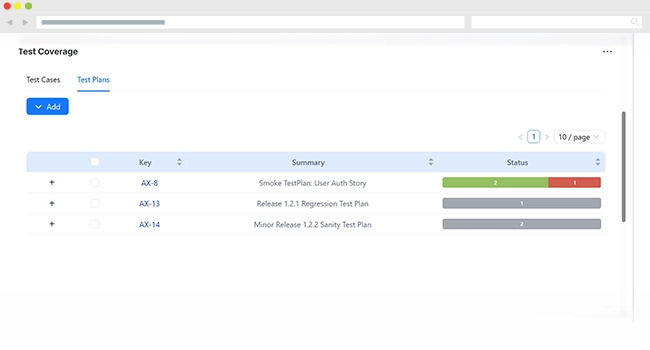
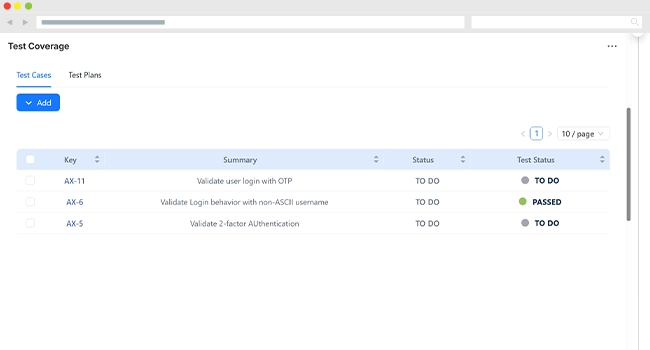
AssureX doesn’t just integrate with Jira — it lives inside it. Built on Atlassian’s Forge platform with a secure remote backend, AssureX delivers enterprise-grade data isolation and robust security for your entire testing lifecycle. Custom React/Vite-powered issue panels give you rich, responsive interfaces for Test Details, Executions, and Test Coverage directly inside your Jira issues.
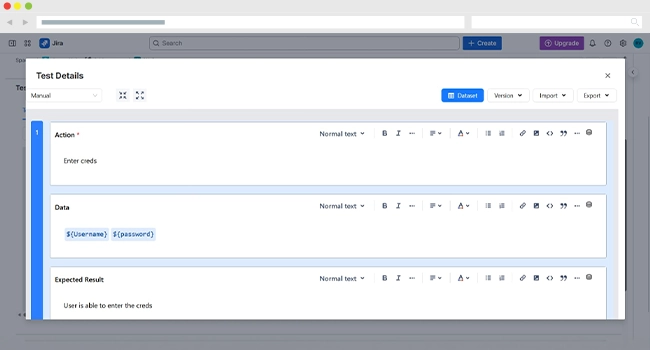
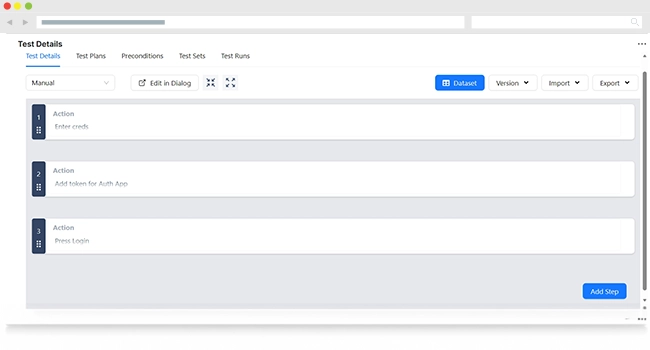
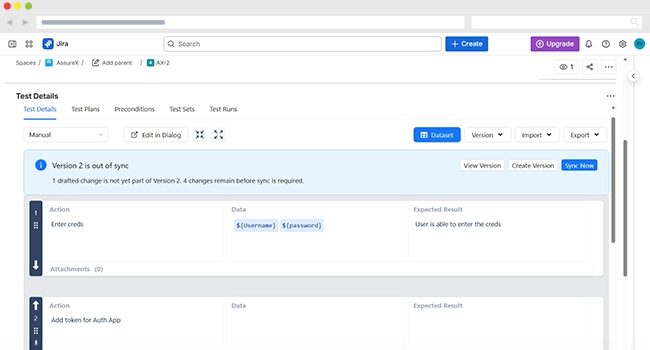
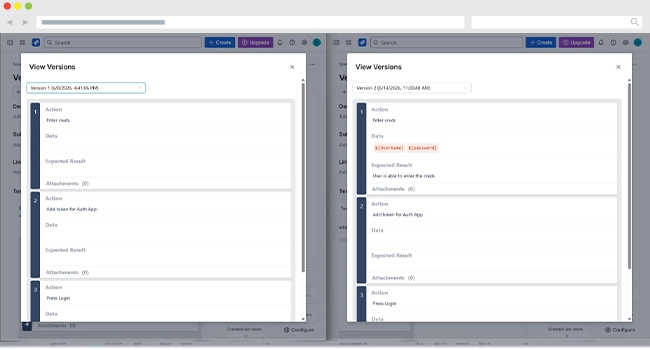
Say goodbye to accidental edits ruining your test definitions. AssureX features a sophisticated, enterprise-grade drafting and versioning system — something no other Jira test management plugin offers. The Drafting Buffer lets your team make changes in a safe Draft state before committing them to live production.
Don’t just track manual tests — bring your automated pipelines into the fold. AssureX’s JUnit XML Import lets you push execution results from any CI/CD pipeline directly into AssureX. No custom scripts, no webhooks, no middleware. AssureX supports ZIP uploads containing both XML results and physical evidence automatically linked to the exact test run.
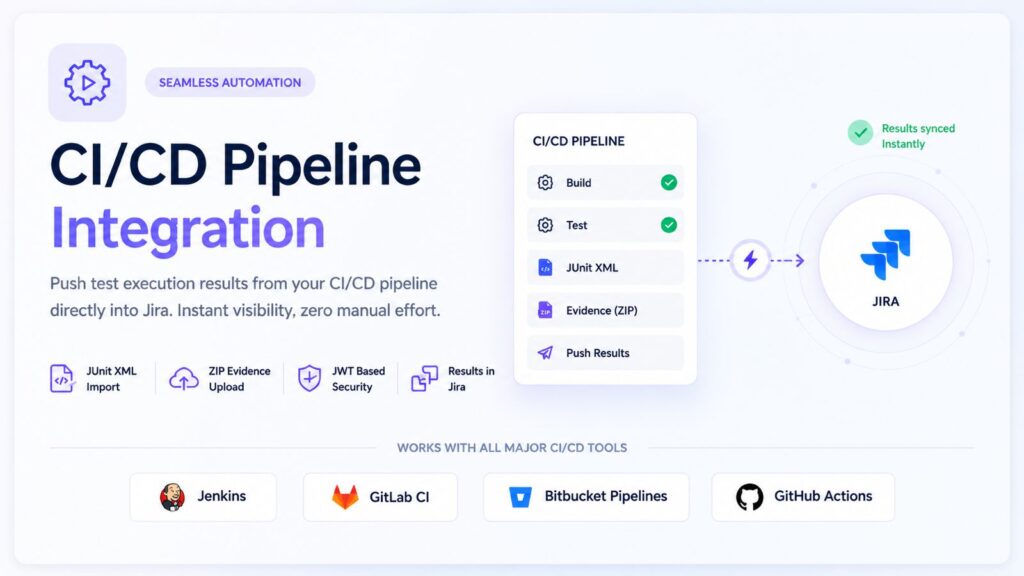
Push results from your pipeline directly into Jira
Jenkins
GitLab CI
Bitbucket Pipelines
GitHub Actions
One PostgreSQL database per Jira site. RSA + AES-256-GCM encryption on every payload.
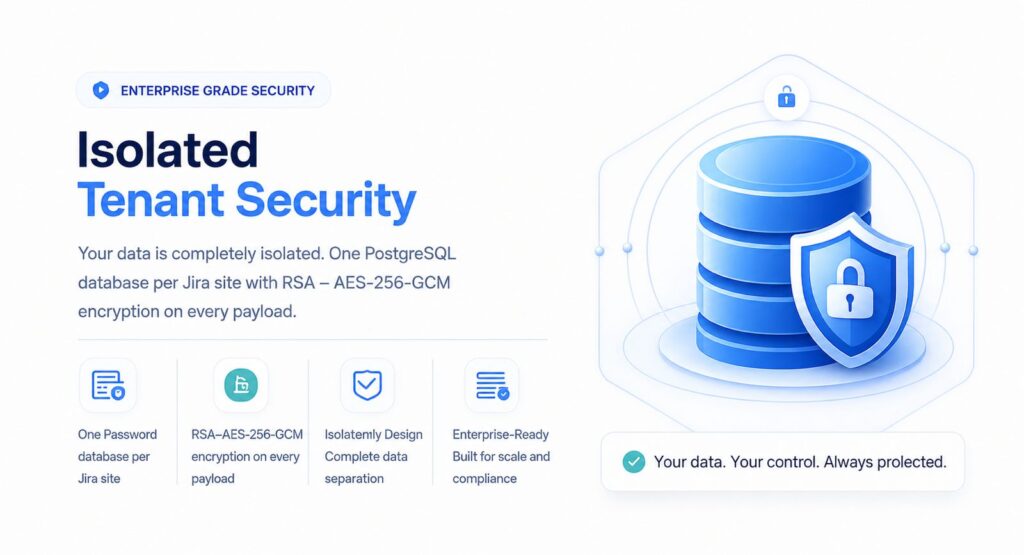
Your data’s security and performance are never compromised. AssureX uses a logically isolated PostgreSQL database per Jira Cloud site — your data never mingles with another tenant’s. RSA key-pair encryption secures all communication between Jira and the AssureX backend. Built for compliance, scale, and security.
Switching to AssureX is designed to be straightforward. Coming from Xray? AssureX includes a dedicated Xray migration route to seamlessly port your historical test data with zero manual effort. Every aspect of AssureX is configurable to your team’s exact workflow via dedicated Admin and Project Setting pages.
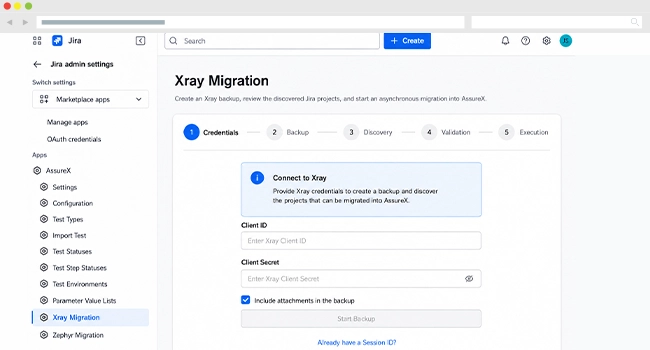
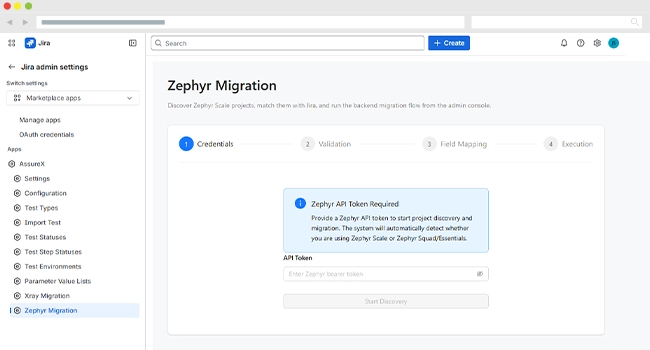
| Capability | AssureX | Xray | Zephyr Essential |
|---|---|---|---|
| Runs on Atlassian Forge | ■Yes, supported | Connect / external | External |
| Dedicated database per Jira site | ■Yes, supported | □Shared tenancy — not supported | □Shared tenancy — not supported |
| Choice of data residency | ■Yes, via Forge, supported | Limited | AWS US only |
| Application-layer encryption (RSA + AES-256-GCM) | ■Yes, supported | Vendor standard | Vendor standard |
| Draft-and-commit buffer on test steps | ■Yes, supported | □No — not supported | □No — not supported |
| Version snapshot history per test | ■Yes, supported | Partial | Manual edits only |
| JUnit XML import from any CI/CD | ■Yes, supported | ■Yes, supported | Limited at this tier |
| Scoped automation tokens (no personal API token) | ■Yes, supported | □Personal token — not supported | □Personal token — not supported |
| Built-in migration from Xray/Zephyr | ■Yes, supported | —Not applicable | —Not applicable |
Ready to assure your software’s quality?
Whether you are a startup looking to formalise your QA process, or an enterprise looking to unify your manual and automated testing inside Jira, AssureX provides the structure you need without unnecessary complexity.
Test Repository
Test Plans
Test Executions
Test Sets
Preconditions
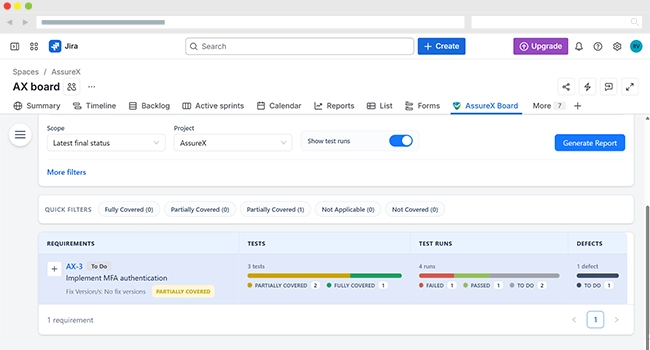
Coverage Tracking
Xray Migration
JUnit XML Import
Evidence Uploads to S3
Automation Tokens
Parameter Value Lists
Admin Configuration
Multi-Tenant Security
Adding {{itemName}} to cart
Added {{itemName}} to cart
Tell us what you need and our team will reach out shortly.
Typically replies within an hour