

JQL Function Suite adds 50 advanced search functions for relationships, comments, attachments, sprints, versions, worklogs and more—plus a controlled path for migrating ScriptRunner filters to Jira Cloud.
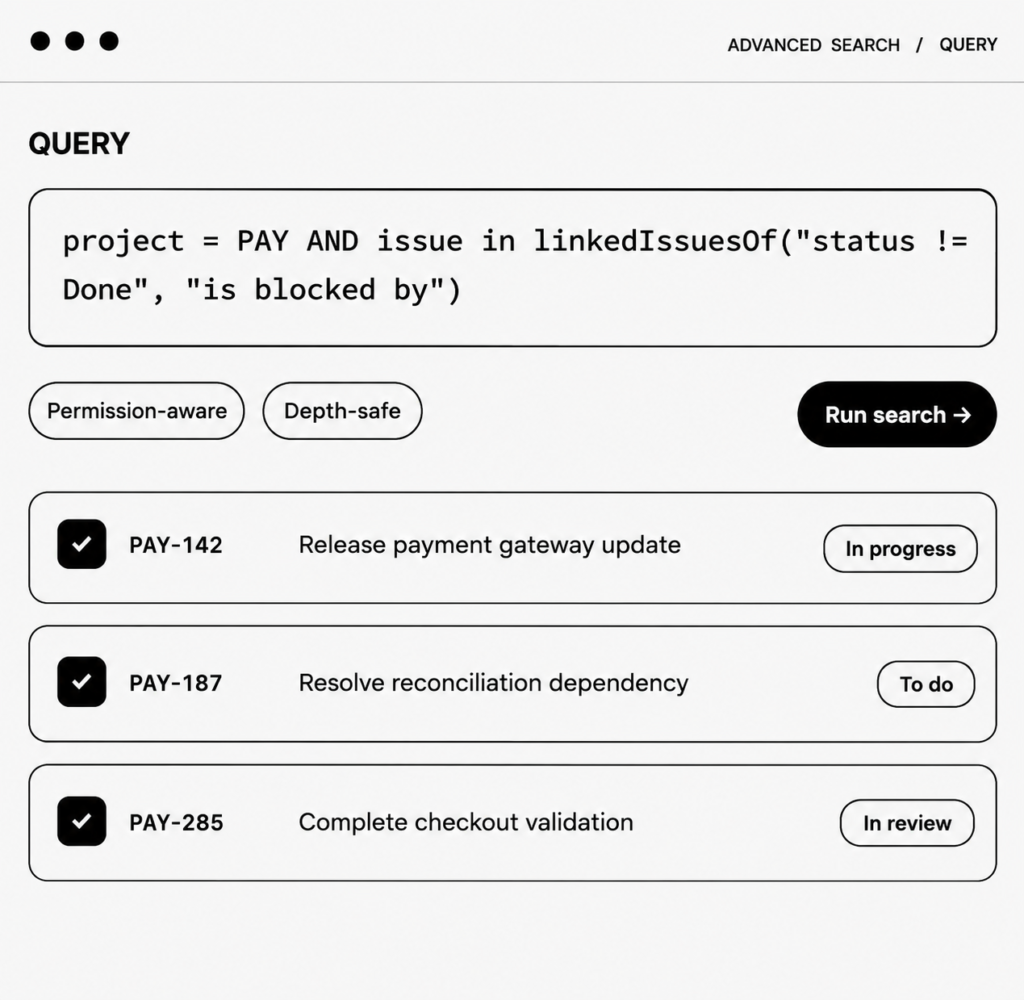
The function library
Search the catalog below. The examples mirror the app’s built-in function library and use the Jira Cloud field syntax documented for the suite.
Why JQL Function Suite
Every capability is designed around a real Jira Cloud constraint: richer discovery without giving up permissions, migration control or operational guardrails.
Move beyond flat issue lists. Traverse links, find parents and children, follow epic relationships and use explicit depth limits for highly connected issue graphs.
Use linkedIssuesOf, linkedIssuesOfAll and depth-limited variants.
Search epics, subtasks, parents and portfolio relationships.
Narrow results to site-specific relationship types.
Bound recursive traversal from 1 to 10 levels.
Find issues from their comments, attachments, dates, field relationships, remote links and worklogs—with familiar JQL composition around every function.
Filter by author, date, text, count or attachment type.
Compare numeric and date fields inside an issue.
Match project, component, version and issue-field text.
Find overdue, archived or date-bounded versions.
Find work that entered or left a sprint after it started, inspect completed and incomplete scope, and target adjacent sprints from a board.
Find issues added or removed after sprint start.
Separate completed work from unresolved sprint scope.
Use a board name or ID as the search anchor.
Query the first future or most recently closed sprint.
Run functions in issue search, save them as filters, and use those filters to power boards, dashboard gadgets and subscriptions—subject to Jira permissions.
Combine functions with project, status, priority and date JQL.
Use not in to find what is missing.
Results stay governed by Jira browse permissions.
Search, copy JQL or open examples in Jira search.
ScriptRunner migration
The administrator console turns filter migration into a reviewable workflow—not a blind text replacement.
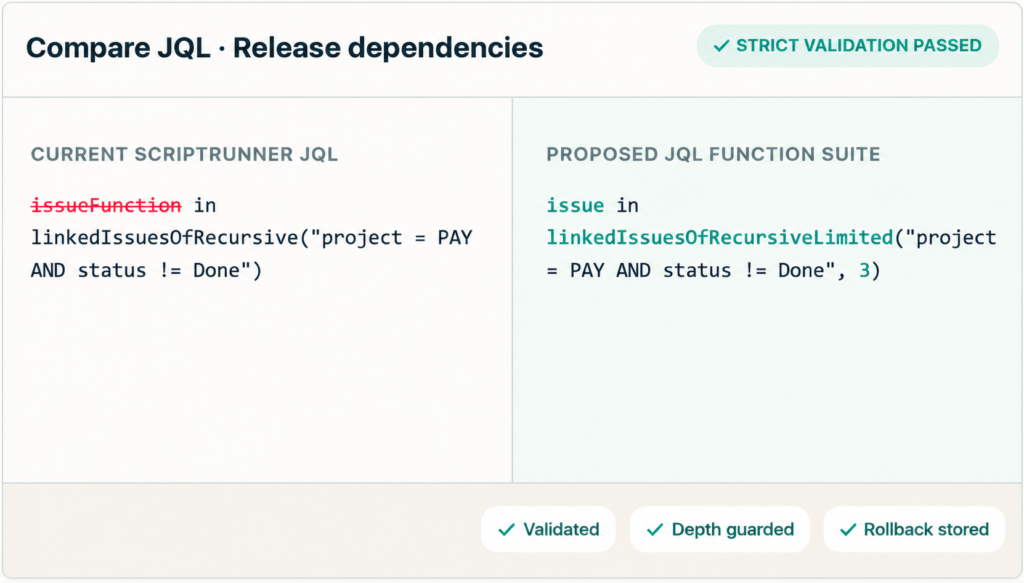
Inventory saved filters containing supported ScriptRunner-style clauses.
Review both versions, then validate with Jira’s strict parser.
Simulate approved changes, then update in controlled batches.
Use stored metadata to restore selected filters when required.
Users call functions with native Jira field syntax.
Custom JQL functions dispatch through guarded handlers.
Issue changes and warmup jobs keep supported indexes current.
Broad metadata and hierarchy searches avoid huge literal lists.
Why JQL Function Suite
Every capability is designed around a real Jira Cloud constraint: richer discovery without giving up permissions, migration control or operational guardrails.
Find issues added or removed after sprint start.
Separate completed work from unresolved sprint scope.
Use a board name or ID as the search anchor.
Query the first future or most recently closed sprint.
Start with a question
Hierarchy
issue in epicsOf(“resolution is EMPTY”)
Dependencies
issue in linkedIssuesOf(“status != Done”, “is blocked by”)
Quality
issue not in hasComments()
Attachments
issue in hasAttachments(“pdf”)
Sprint scope
issue in addedAfterSprintStart(“Web Board”, “Sprint 12”)
Workload
issue in aggregateExpression(“assignee”, “count(*)”, “>10”)
Operational clarity
Admins get coverage visibility, backfill controls and explicit errors where Jira or tenant configuration sets a boundary.
See indexed, total and remaining issues with a calculated coverage percentage.
Start, monitor, cancel and retry background indexing with controlled scope and concurrency.
Prefer indexed/native clauses or fail explicitly instead of generating an oversized fragment.
Administrators can disable individual functions and keep live fallback off.
Function results remain subject to the current user’s Jira permissions.
Ready to search deeper?
Explore the public guide, review the full function catalog or talk to Gudakesa about migration and rollout for your Jira Cloud site.
Adding {{itemName}} to cart
Added {{itemName}} to cart
Tell us what you need and our team will reach out shortly.
Typically replies within an hour